Simplifying legal, tax, and compliance workflows through one connected digital experience.
Sapaa App
OVERVIEW
SAPAA is a legal and tax advisory firm providing services across taxation, corporate law, business advisory, compliance, and litigation. The firm works with corporates, non-corporates, and individuals across different legal and regulatory requirements.
I designed the experience around three key principles: clarity, engagement, and progress.

CHALLENGE
Legal and tax operations involve multiple clients, deadlines, documents, tasks, team members, and follow-ups. Managing these activities through scattered communication and manual processes can make it difficult to understand priorities and keep track of ongoing work.
The challenge was to create a centralized experience that makes everyday task management simpler while giving teams better visibility into their work. The interface needed to handle complex information without making the workflow feel complicated.
APPROACH
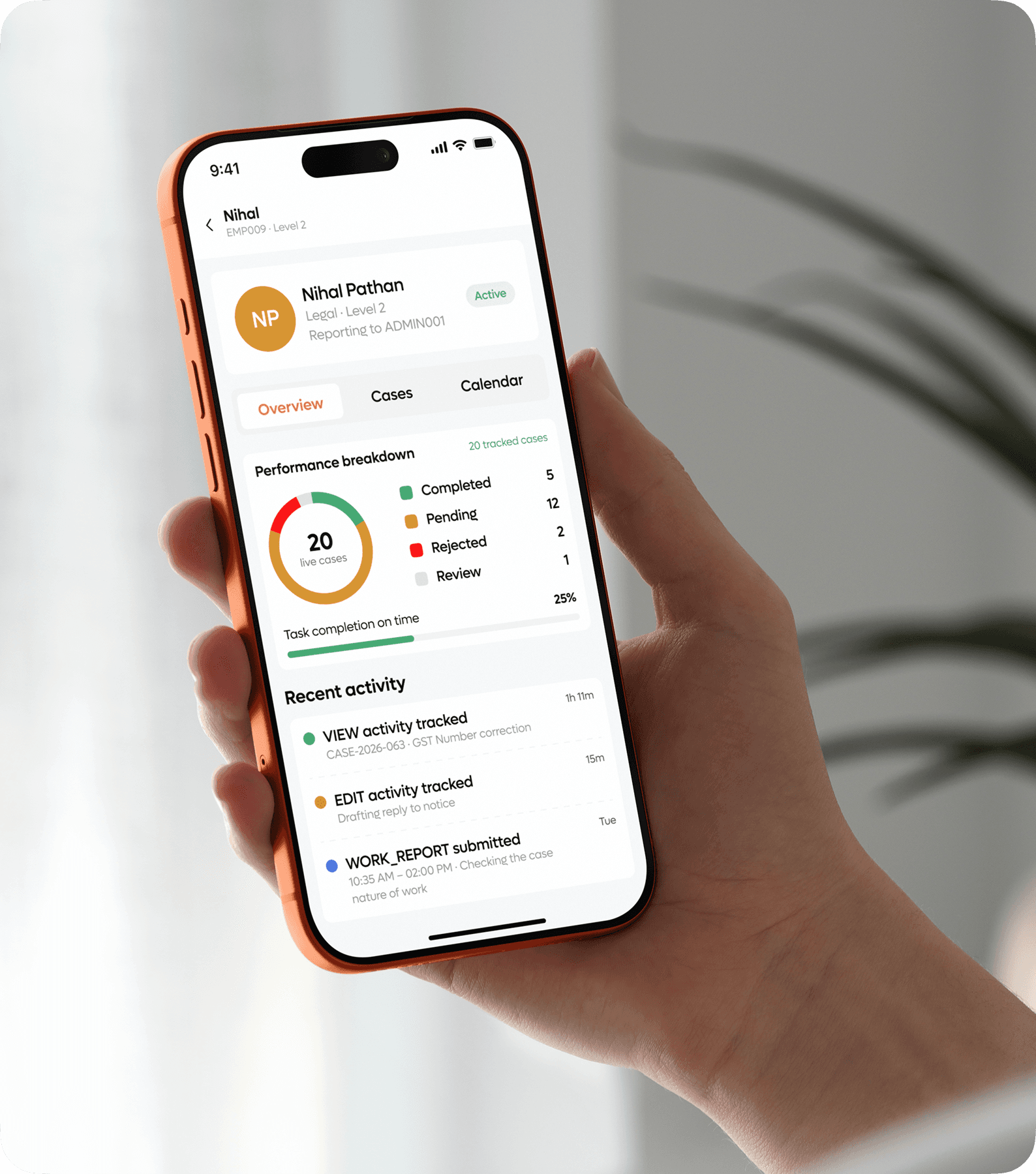
The design focused on creating a structured workflow where users can manage tasks from creation through completion. Important information such as assignments, priorities, deadlines, status, and progress was brought together into a single experience.
The interface was designed around clarity, organization, and visibility. Instead of overwhelming users with large amounts of information, the experience uses clear hierarchy and structured components to help teams quickly understand what needs attention.
Tasks, progress, priorities, and updates are organized so users can understand their workload immediately after entering the platform.
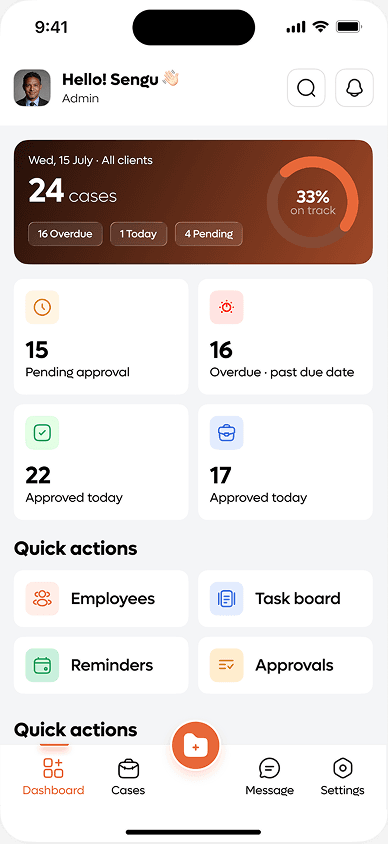
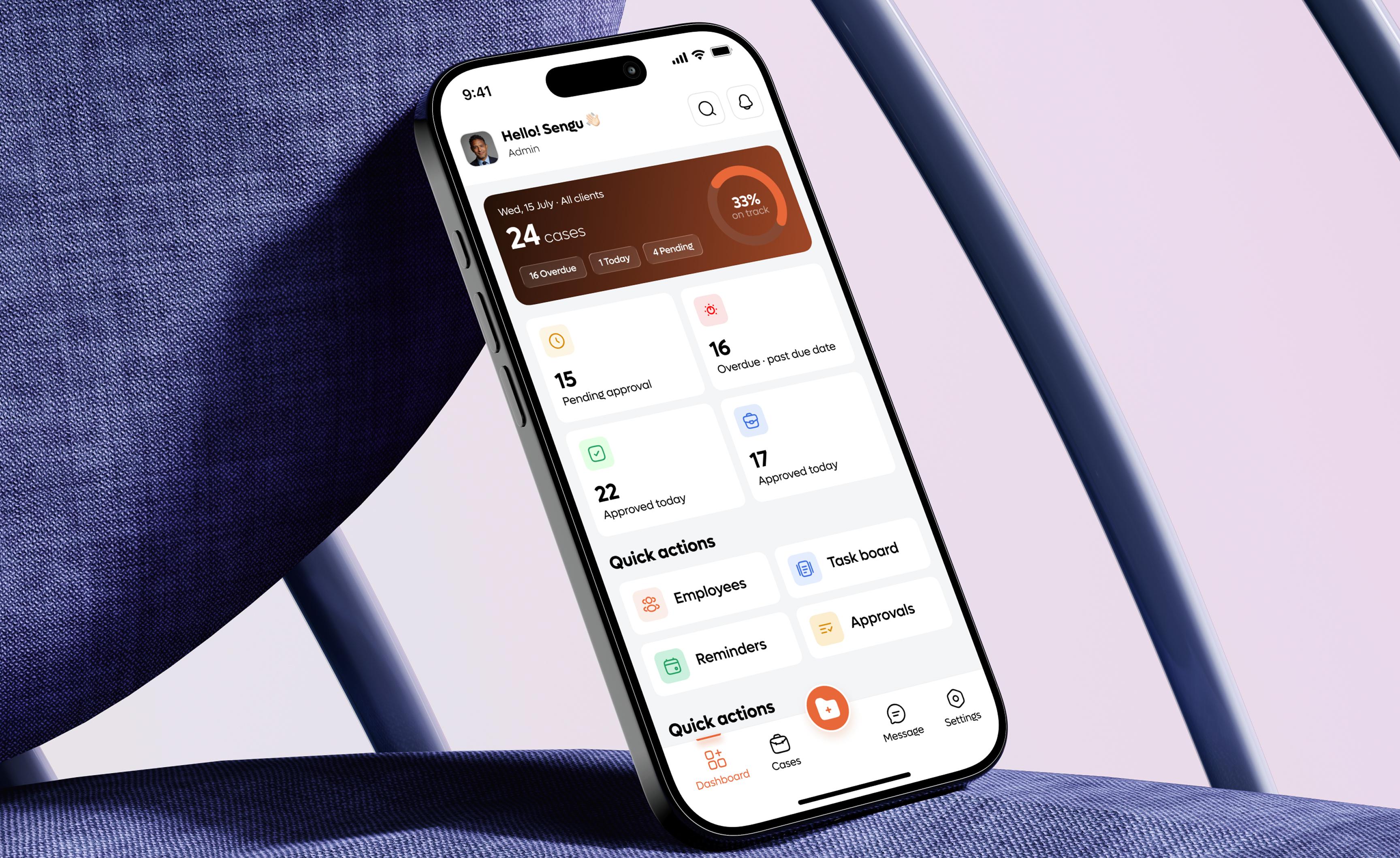
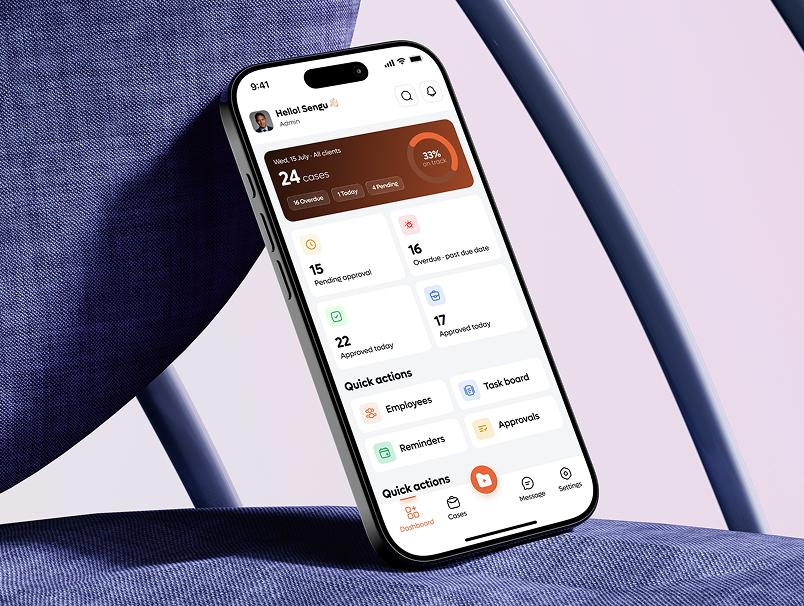
The dashboard provides users with an overview of their current work and important activities.
Review important updates, and move into the relevant task without navigating through multiple sections.
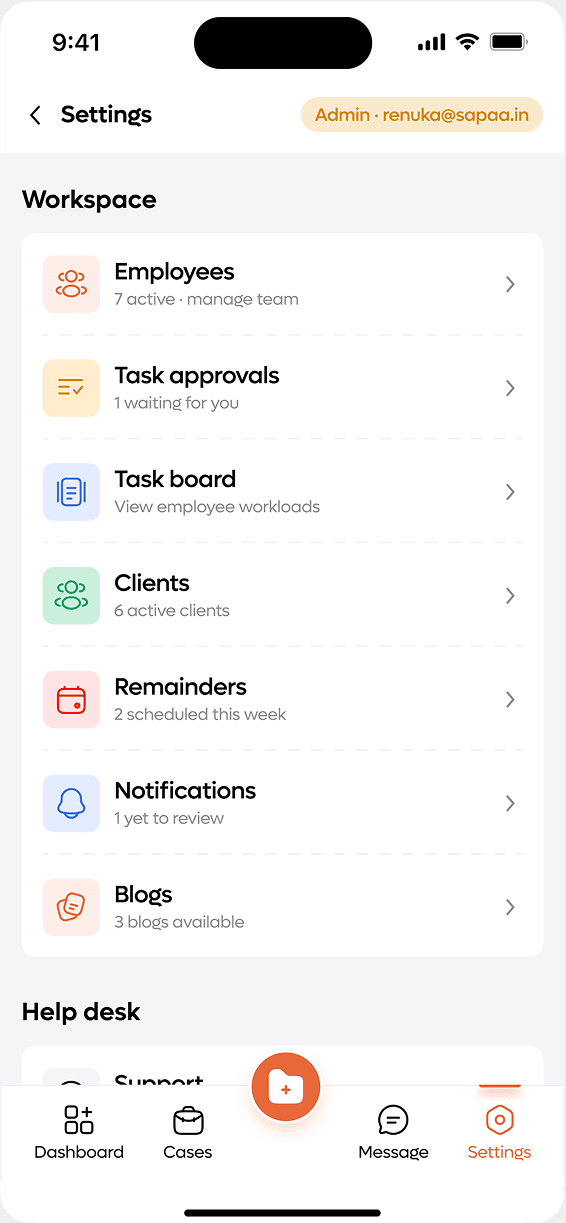
The focus was on making the dashboard actionable rather than simply informational. Users can quickly identify pending work,
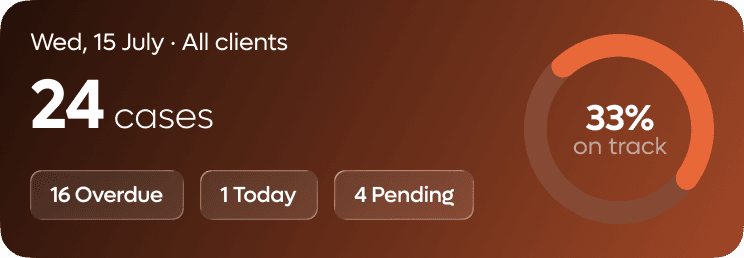
This makes it easier for teams to understand responsibilities and keep work moving.
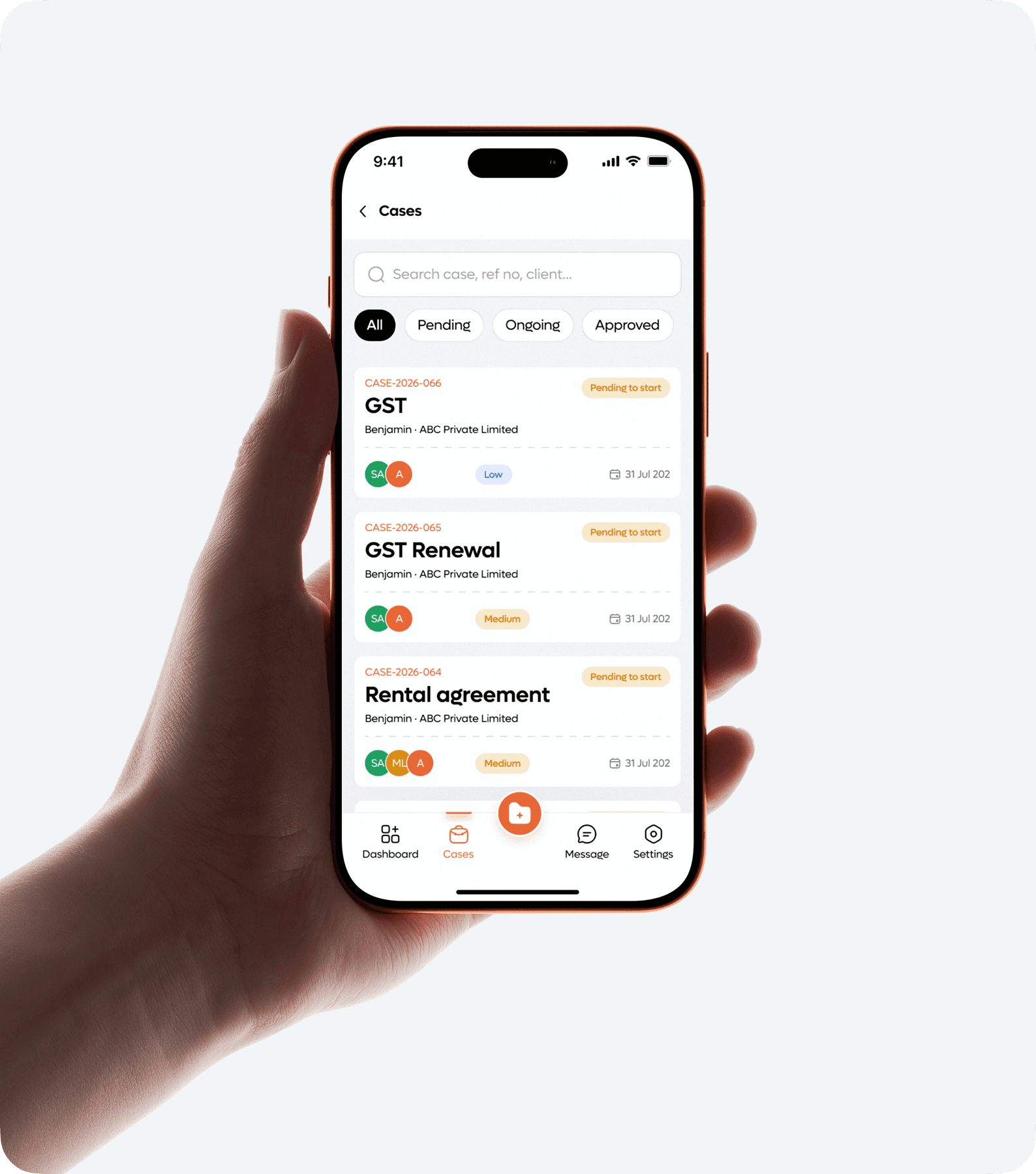
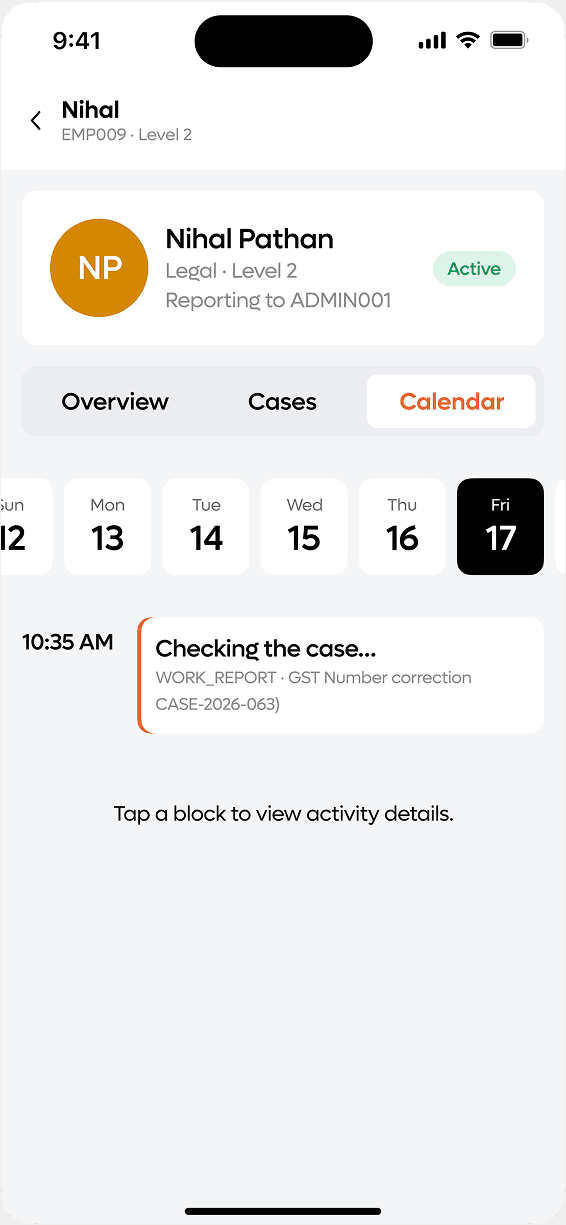
The task experience brings important task name, assignee, priority, deadline, structured interface.
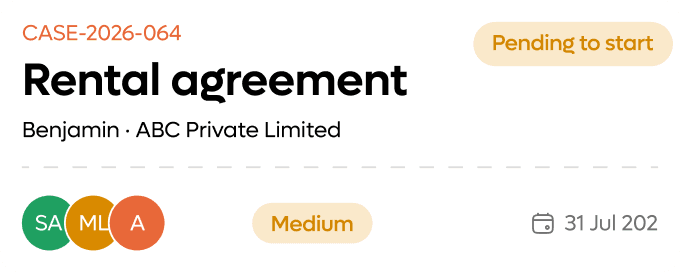
Tasks, progress, priorities, and updates are organized so users can understand their workload immediately after entering the platform.
The dashboard provides users with an overview of their current work and important activities.
This makes it easier for teams to understand responsibilities and keep work moving.
The task experience brings important task name, assignee, priority, deadline, structured interface.
Review important updates, and move into the relevant task without navigating through multiple sections.
The focus was on making the dashboard actionable rather than simply informational. Users can quickly identify pending work,
VISUAL DESIGN
The visual language was designed to feel professional, organized, and suitable for a legal and corporate environment. Clean layouts, structured cards, clear typography, status indicators, and consistent spacing help users manage information efficiently.
The interface avoids unnecessary visual complexity and gives priority to functional information. This creates a focused workspace where users can concentrate on their tasks rather than navigating through decorative elements.
COLORS
TYPOGRAPHY
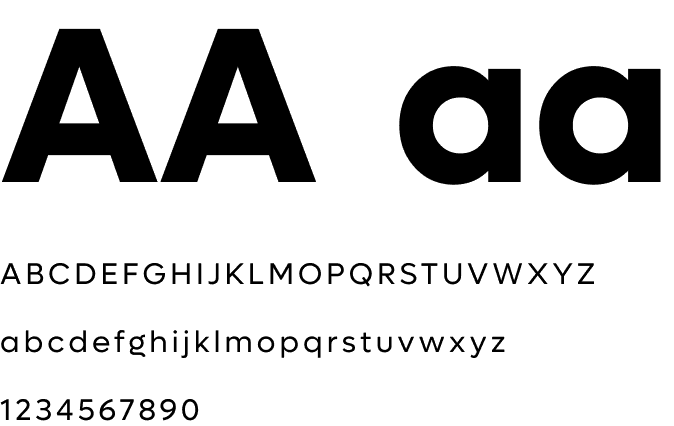
Lufga
FINAL EXPERIENCE
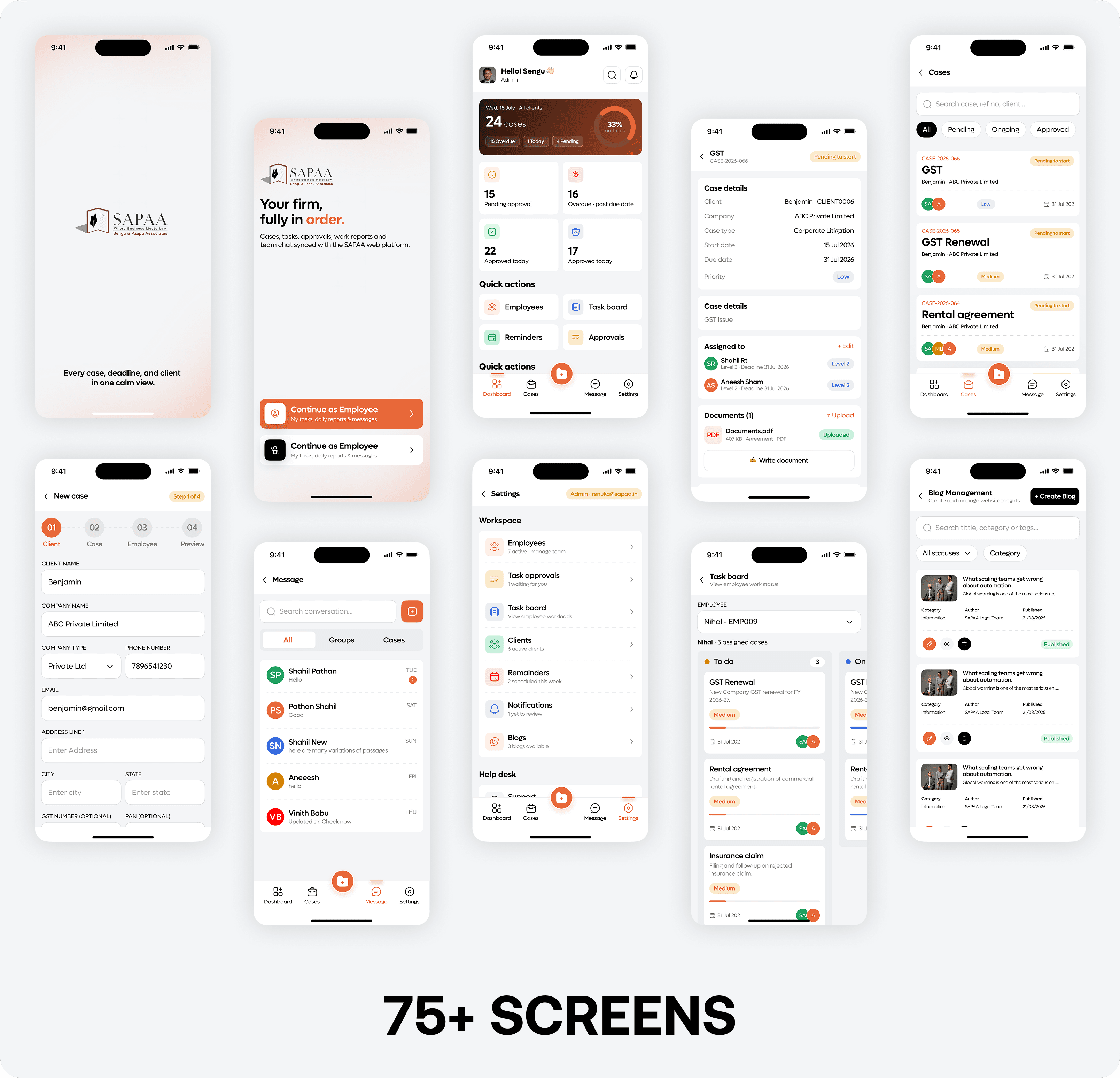
The final app brings task management, team coordination, priorities, deadlines, and progress into one connected platform. Users can understand their workload, manage responsibilities, and track ongoing activities from a centralized experience.
The result is a more structured workflow that supports the day-to-day operations of a professional legal and tax environment. The experience turns complex operational information into simpler and more manageable digital workflow.
NEXT PROJECT
Daga & Co
Simplifying legal, tax, and compliance workflows through one connected digital experience.