Designing the QEHBS Experience Learning & Exploration Platform
Qehbs App
OVERVIEW
The Quiz Learning Platform is a digital learning experience that helps students access quizzes, track their progress, attend live classes, complete homework, and stay engaged with their learning journey. The goal was to create a simple and motivating experience where students could quickly understand what they need to do, access upcoming activities, and see their progress without feeling overwhelmed.
I designed the experience around three key principles: clarity, engagement, and progress.
CHALLENGE
Many digital learning platforms contain multiple features, but students often have to move between different sections to find quizzes, homework, classes, scores, and progress information. When important information is scattered across the experience, it becomes difficult for students to understand what requires their attention and what they should do next.
The central design question became: How might we make the learning journey clearer while helping students stay motivated throughout it?
APPROACH
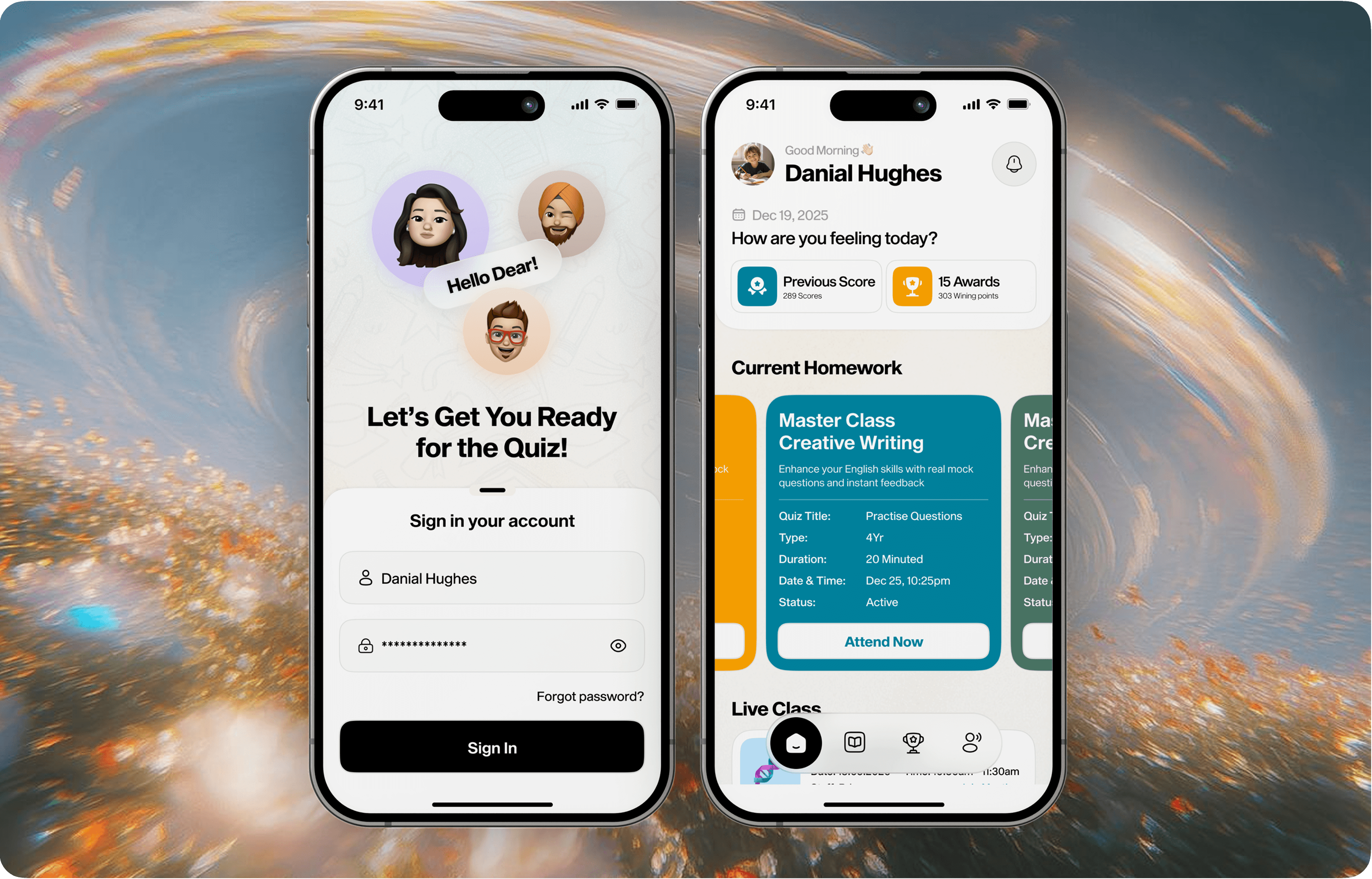
The design process focused on understanding the complete student journey rather than designing individual screens in isolation. I looked at how a student would enter the platform, understand their current activities, attend a class, complete homework, take a quiz, review their performance, and continue progressing.
This approach helped transform the product from a simple quiz interface into a more complete learning experience.
Keep important information visible without overwhelming students with too many actions.
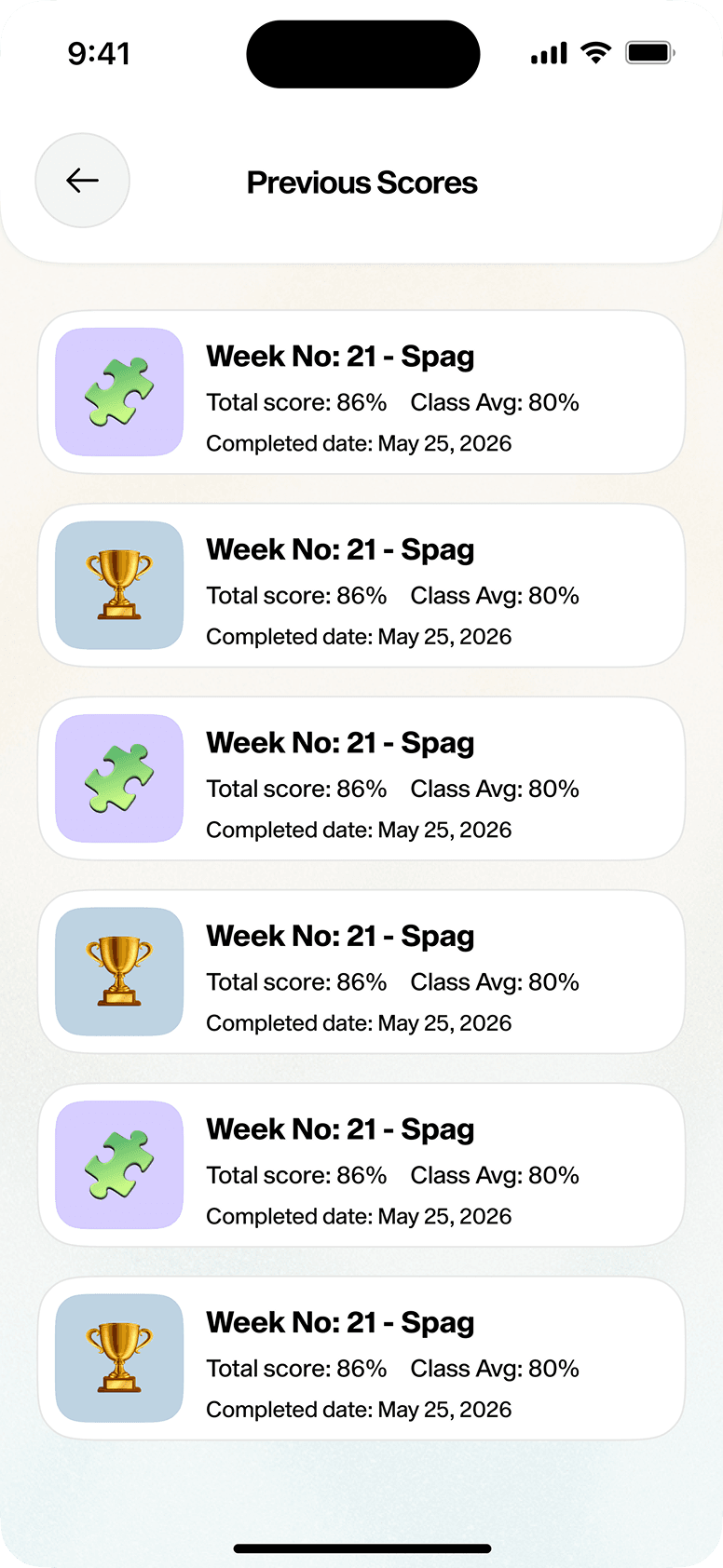
Use scores, awards, activities, and status indicators to help students understand.
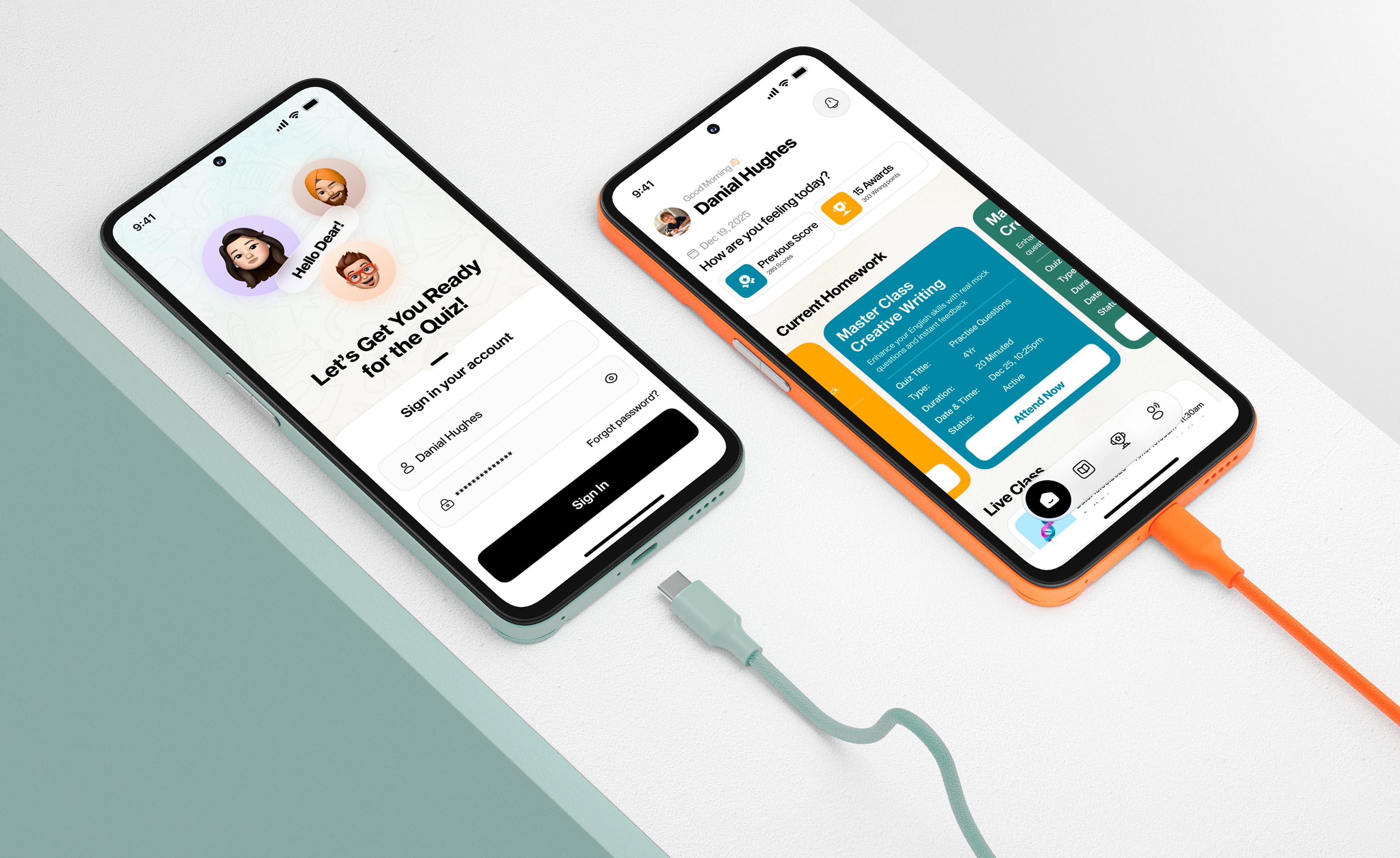
Surface current homework, upcoming classes, quizzes, and important activities directly on the dashboard.
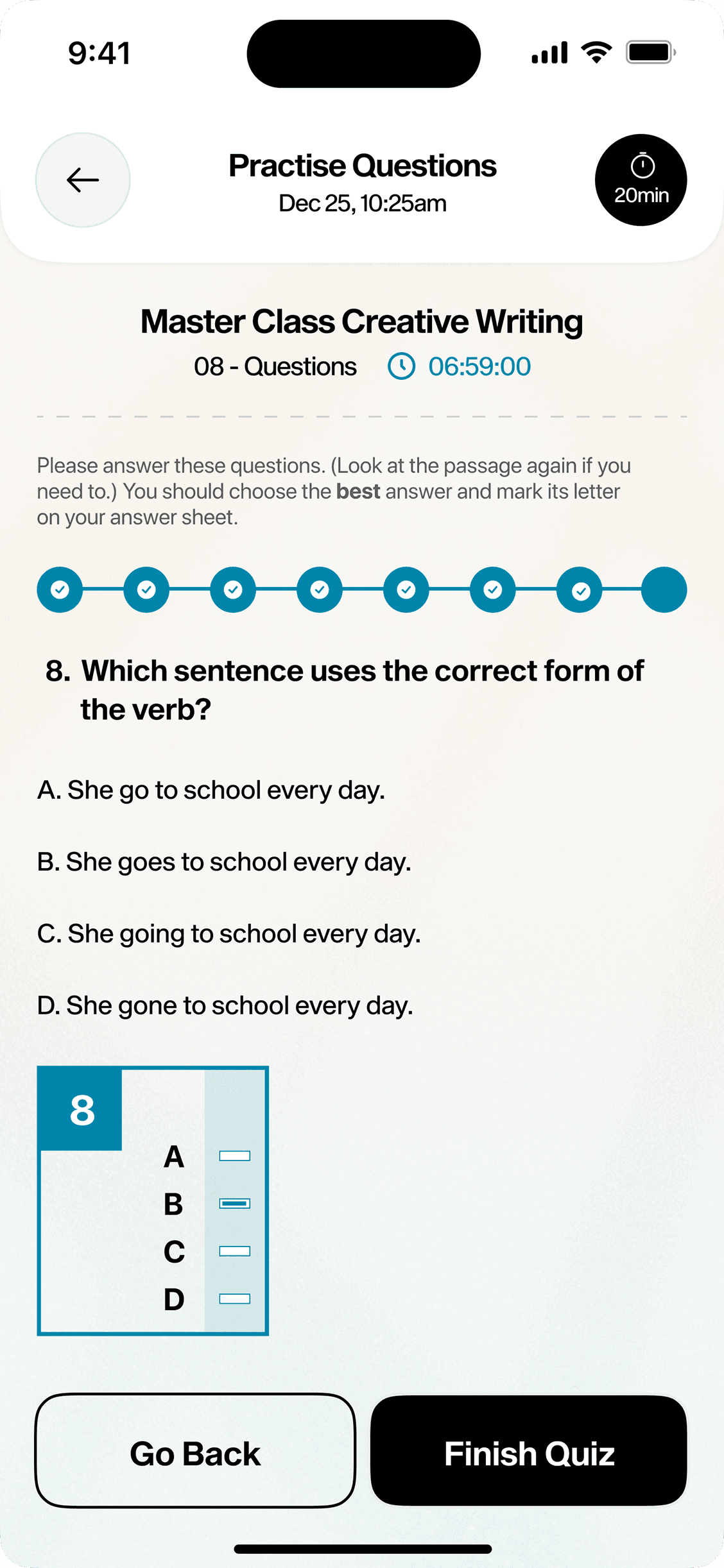
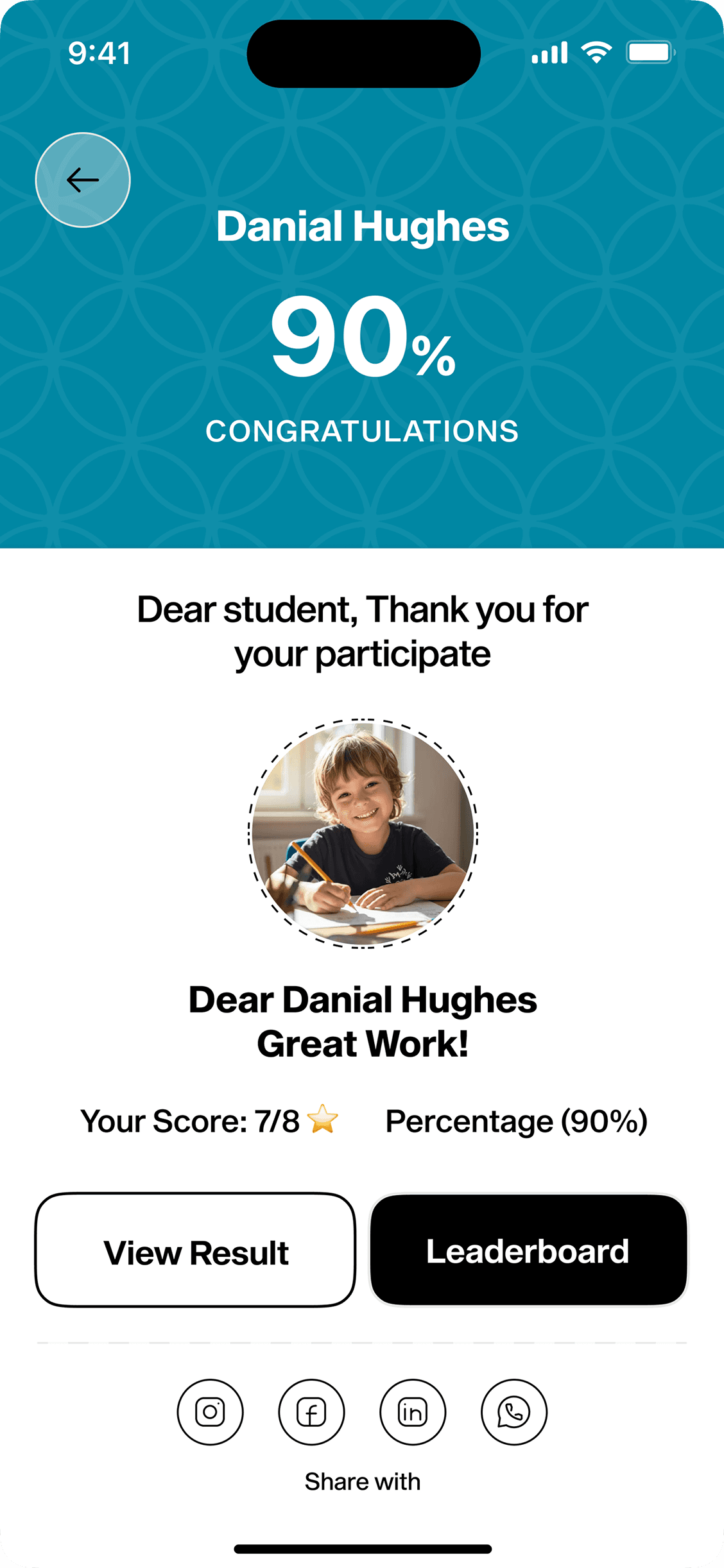
Introduce visual feedback and achievement elements to make progress feel more motivating.
The design process focused on understanding the student's journey from sign-in -> learning -> quiz -> results -> progress.

Previous Score
289 Scores

15 Awards
303 Wining points
Keep important information visible without overwhelming students with too many actions.
Use scores, awards, activities, and status indicators to help students understand.
The design process focused on understanding the student's journey from sign-in -> learning -> quiz -> results -> progress.
Previous Score
289 Scores
15 Awards
303 Wining points
Surface current homework, upcoming classes, quizzes, and important activities directly on the dashboard.
Introduce visual feedback and achievement elements to make progress feel more motivating.
VISUAL DESIGN
The visual design combines a clean educational interface with bright accent colors and friendly visual elements. The intention was to create a product that feels modern and structured while still being approachable for students.
The final design balances functionality with personality, giving the platform a learning-focused identity without making it feel overly formal.
COLORS
TYPOGRAPHY
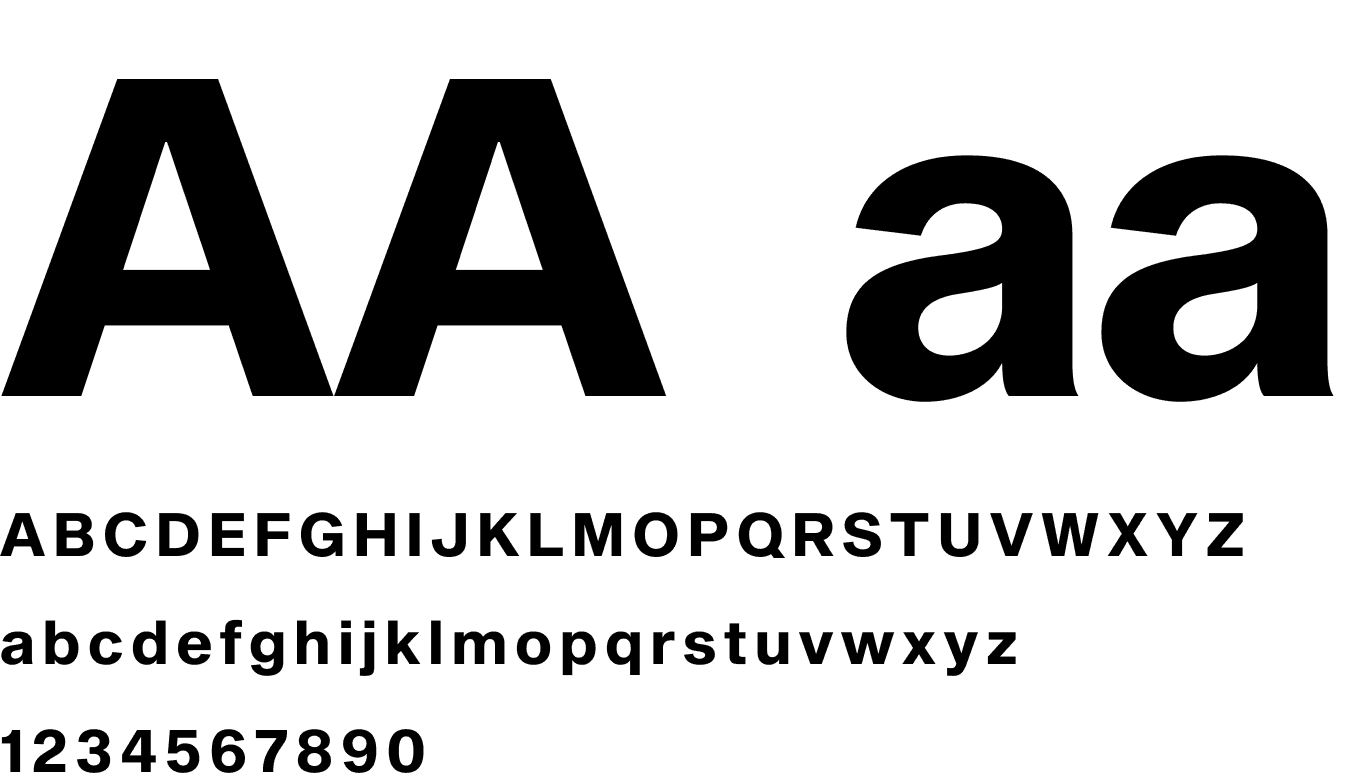
Sequel Sans

FINAL EXPERIENCE
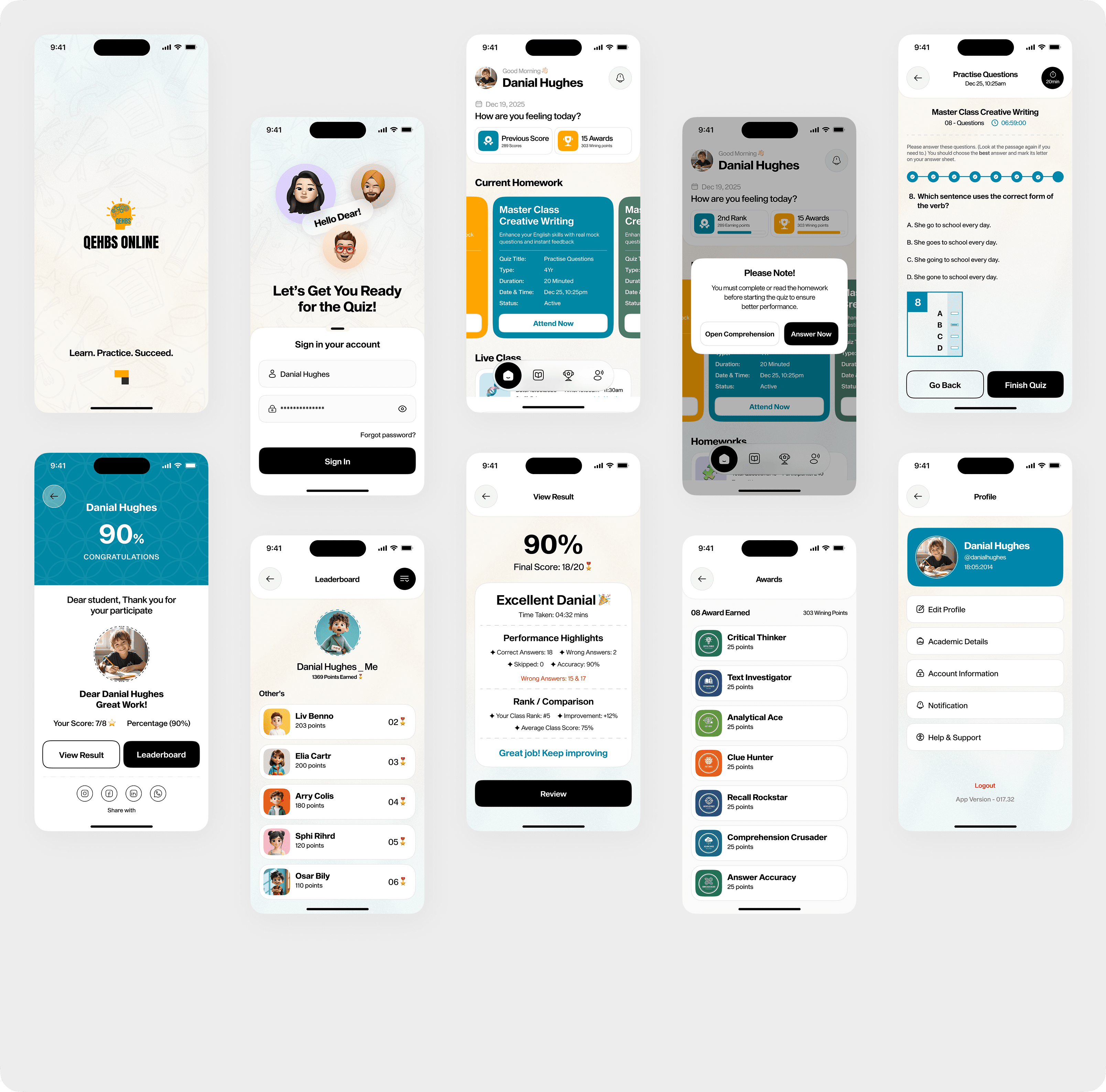
The final experience connects the complete learning journey into one cohesive product. Students can sign in, understand their current activities, complete homework, attend live classes, take quizzes, review scores, and explore their achievements from a consistent interface.
Each part of the product is designed to support the next step in the student's journey. Instead of creating isolated features, the experience connects them together so that learning feels continuous and structured.